
// For camps
The evening analysis, sent before they fly home.
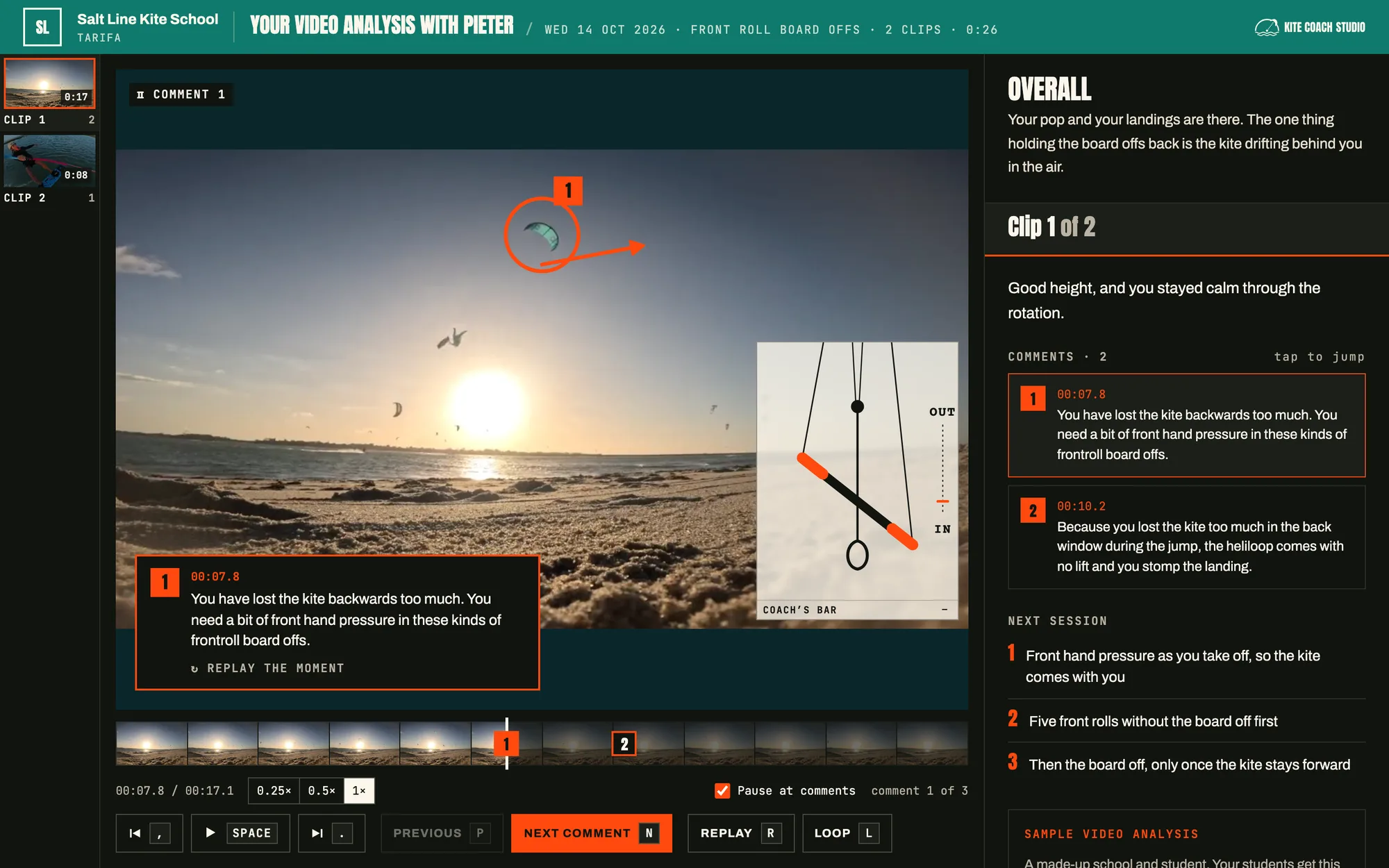
You already film every session and go through it after dinner. Now each rider gets that video analysis to keep: their clips, your drawings and the bar, on a page with your camp’s name on it.
// How it works
One camp week
- 01
Film
Phone, GoPro or drone. Put the day’s footage in the video library and tag the riders in each clip.
- 02
Go through it
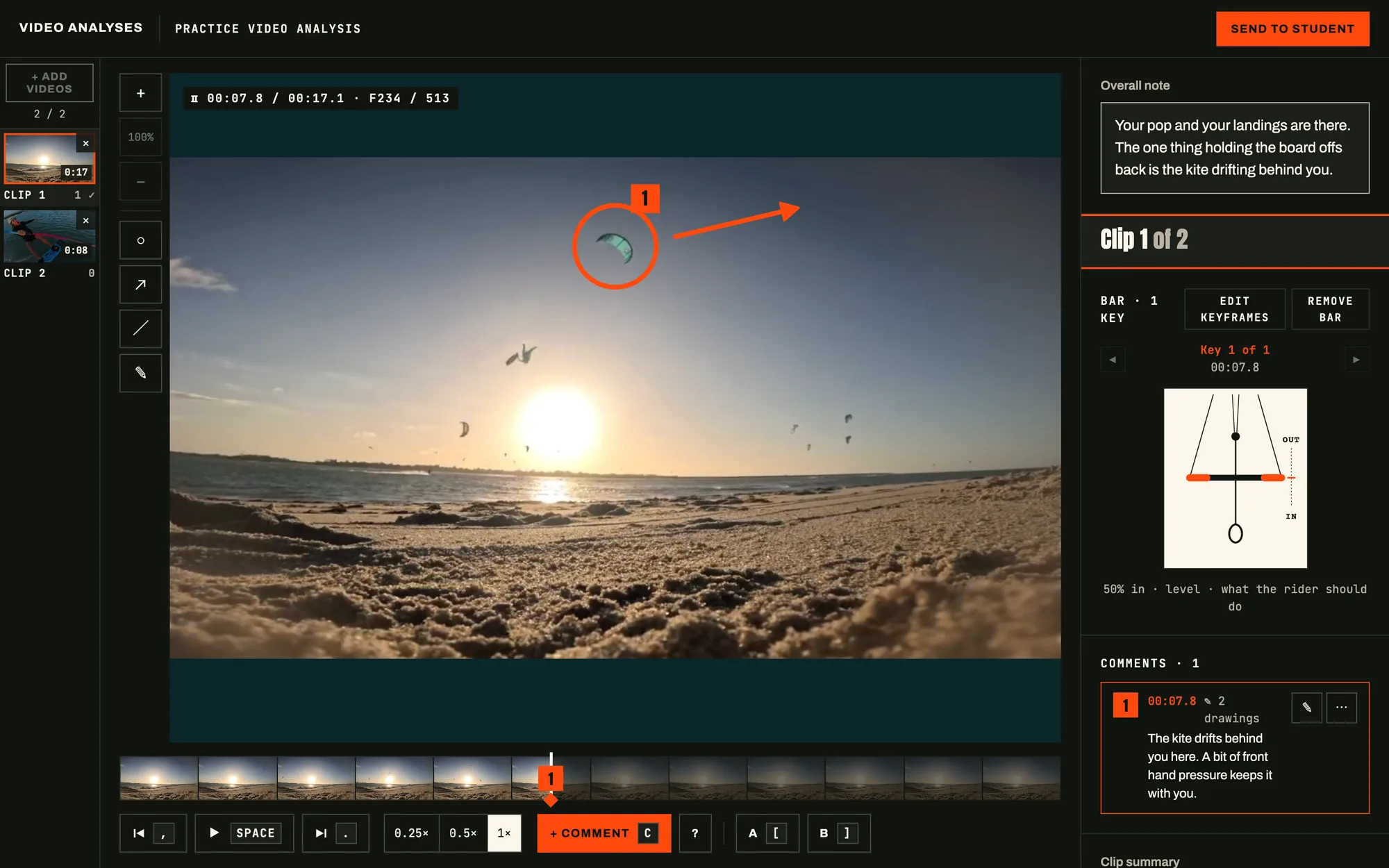
Step through the clips frame by frame, draw on them and show the bar, as you do on the laptop after dinner.
- 03
Send
On the last day each rider gets an email with a link to their own video analysis. It’s still there when they’re home.
// The studio
Every clip, frame by frame
// What you get
What your camp gets
The whole week in one place
One video analysis per rider can hold the whole camp. Add clips each day and send it at the end.
Upload once
A clip with three riders in it goes to all three. Tag them and it lands in each one’s video analysis.
Works without beach wifi
Install it on the camp laptop and work offline at the spot. It syncs when you’re back online.
Every coach on the camp
Invite the coaches you work with. Each sees their own riders; you see them all.
Your name on it
Your logo, colour and sign-off on every page and email the riders get.
Something to remember you by
Riders watch it again at home and show their friends. That’s where next year’s bookings start.
Do we need to sign up for a whole season?
No. The pilot is free for the 2026/27 season, so you can try it on a single camp week.
Do riders need an account?
No. They get an email and open their video analysis from the link, on a phone or a laptop.
How long do riders keep it?
While you use Kite Coach Studio.
Does it work without internet at the spot?
Yes, on a laptop. Install Kite Coach Studio from Chrome or Edge and press Work offline: add videos, comment and draw as usual. Your work syncs when you’re back online.
What can we film with?
Anything that records video: phones, GoPros, drones. Long videos are fine; you keep the part that matters.
Try it on your next camp
Free for the 2026/27 season, for a small group of schools and camps.
Already in? Sign in